Background
I built Docstack because I was frustrated with existing PDF merging tools. Most of them either require uploading files to a server (privacy concern), are bloated with ads, or lack the fine-grained control I needed, like reordering individual pages across multiple files.
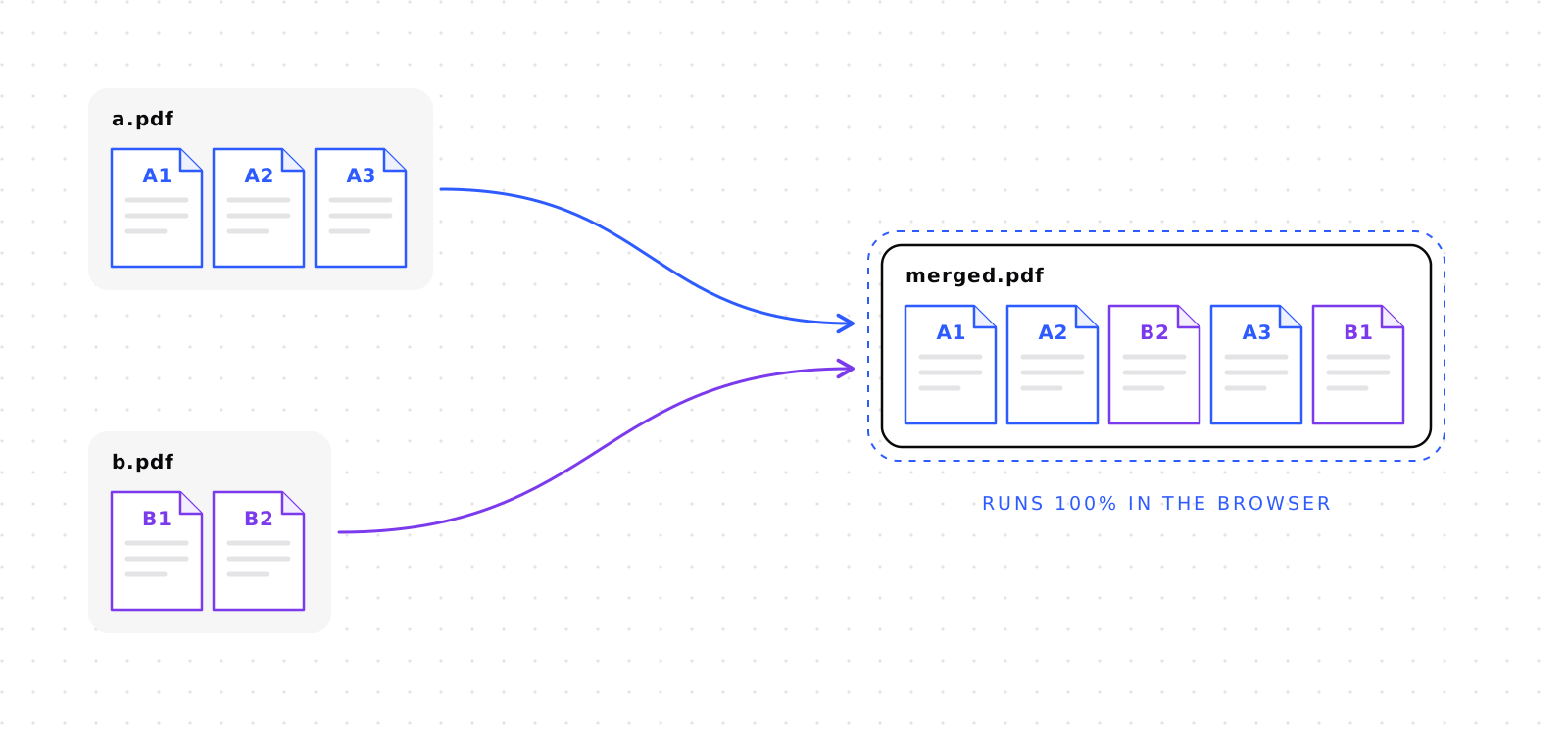
The goal was simple: a privacy-first PDF merger that runs 100% in the browser. No server uploads, no tracking, no ads. Just drop your PDFs, reorder pages however you want, and download the merged result.
But as I built it, I discovered that making it feel polished required solving some interesting technical challenges, especially around cross-file page management and keeping the UI responsive while rendering potentially hundreds of thumbnails.
Architecture Overview
The codebase follows a modular architecture with clear separation of concerns. Here's the high-level flow:
Figure 1
Upload flow
The key modules:
state.js: Single source of truth. Stores all file data, page orders, and rotations.views.js: The largest module. Handles both "Files" and "Pages" views, progressive rendering, and bidirectional sync.components.js: Factory functions for creating thumbnails and file cards.modals.js: Lightbox preview with keyboard navigation.pdf.js: Wrapper around PDF.js for rendering pages to canvas.
State Management
Each uploaded PDF becomes a file object in state.uploadedFiles[]. The structure looks like this:
{
    id: "550e8400-e29b...",      // UUID
    name: "document.pdf",
    pdfProxy: PDFDocumentProxy,   // PDF.js document object
    arrayBuffer: ArrayBuffer,     // Raw PDF data
    pageCount: 5,
    pageOrder: [0, 1, 2, 3, 4],
    pageRotations: { 0: 0, 1: 90 },
    importedPages: []           // Pages from other files
}Global Page Order
The globalPageOrder array defines the final merge order. It's an array of references:
globalPageOrder = [
    { fileId: "file-A", pageIndex: 0 },
    { fileId: "file-B", pageIndex: 0 },  // Interleaved!
    { fileId: "file-A", pageIndex: 1 },
    { fileId: "file-B", pageIndex: 1 },
];
This allows pages from multiple files to be interleaved in any order. The "Pages" view shows this flat list, while the "Files" view groups them by source file.
Cross-File Page Import
This is where things get interesting. In the "Pages" view, you can drag a page from File B and drop it between two pages of File A. When you do this, the page gets "imported" to File A.
Figure 2
Cross-file drop
Detection Algorithm
When Sortable.js fires its onEnd event, I check if the dropped page is "surrounded" by pages from a different file:
const droppedThumb = thumbs[evt.newIndex];
const droppedFileId = droppedThumb.dataset.fileId;

const prevThumb = thumbs[evt.newIndex - 1];
const nextThumb = thumbs[evt.newIndex + 1];

// If both neighbors are from the same file (not ours)
if (prevFileId === nextFileId && prevFileId !== droppedFileId) {
    performCrossFileImport(droppedThumb, droppedFileId, prevFileId);
}
The "surrounded" condition ensures we only trigger an import when a page is dropped between two pages from the same file. If both neighbors belong to File A, the user clearly intends to place this page within File A's logical group. If the neighbors are from different files, it's just a reorder in the flat merge list, so no import is needed. Without this check, every drag operation might falsely trigger an import.
Why References, Not Copies?
When a page is imported to File A, I don't copy any PDF data. Instead, File A stores a reference
in its importedPages array:
targetFile.importedPages.push({
    newIndex: 5,               // Index in File A
    sourceFileId: "file-B",   // Original file
    sourcePageIndex: 2        // Original page index
});Rendering Imported Pages
Here's the critical insight: File A's pdfProxy only contains its original pages. If I try to render "page 6" (an imported page), it would fail because File A only has 5 real pages!
The solution is to check importedPages first and render from the source file:
const importedPage = file.importedPages?.find(p => p.newIndex === pageIndex);

if (importedPage) {
    // Render from the SOURCE file
    const sourceFile = state.getFile(importedPage.sourceFileId);
    await renderPdfPage(
        sourceFile.pdfProxy,
        importedPage.sourcePageIndex + 1,
        canvas,
        scale
    );
} else {
    // Normal page
    await renderPdfPage(file.pdfProxy, pageIndex + 1, canvas, scale);
}
This same logic applies to thumbnail rendering, lightbox preview, and the final merge operation.
Progressive Rendering
Rendering PDF thumbnails is expensive. A naive approach would freeze the UI while rendering all pages. I use progressive rendering, where thumbnails render one at a time with idle callbacks.
Figure 3
Progressive rendering loop
function renderNext() {
    if (currentIndex >= pagesToRender.length) {
        completeProgress();
        return;
    }

    const thumb = createProgressiveThumb(file, pageIndex);
    allPagesGrid.appendChild(thumb);

    renderPdfPage(file.pdfProxy, pageIndex + 1, canvas)
        .finally(() => {
            currentIndex++;
            updateProgress();

            // Schedule next render during browser idle time
            if (window.requestIdleCallback) {
                requestIdleCallback(renderNext, { timeout: 100 });
            } else {
                setTimeout(renderNext, 10);
            }
        });
}
requestIdleCallback is a browser API that schedules a function to run when the browser is idle, meaning it's not busy handling user input, animations, or other high-priority tasks. This runs during "gaps" between frames, preventing jank and keeping the UI responsive.
The timeout: 100 ensures it still runs even if the browser is busy, guaranteeing the work eventually gets done.
Browser Gotchas
Building this, I ran into several browser quirks that took time to diagnose.
1. cloneNode() Doesn't Copy Canvas Pixels
When cloning a thumbnail to show in the Files view, I used cloneNode(true). But the cloned canvas was blank!
const clonedThumb = thumb.cloneNode(true);
// clonedThumb's canvas is EMPTY!

// Solution: manually copy pixels
const ctx = clonedCanvas.getContext('2d');
ctx.drawImage(originalCanvas, 0, 0);
2. cloneNode() Doesn't Copy Event Listeners
The true parameter in cloneNode(true) only controls whether child nodes are cloned (deep vs shallow clone).
It does not affect event listeners. Listeners added via addEventListener() are never copied by cloneNode(), regardless of the parameter.
So even though the original thumbnail had working preview, rotate, and delete buttons, the cloned thumbnail's buttons did nothing when clicked.
The fix was to add new event listeners to each button on the cloned element:
// Find the button in the CLONED element
const previewBtn = clonedThumb.querySelector('.preview-btn');

// Add a NEW click handler (since the original wasn't copied)
previewBtn.addEventListener('click', (e) => {
    e.stopPropagation();
    showPreview(targetFileId, newPageIndex);
});
3. Bidirectional Sync Complexity
The app has two views: "Files" (pages grouped by their source PDF) and "Pages" (a flat list of all pages in merge order). The challenge is that reordering in one view must immediately reflect in the other.
Figure 4
Bidirectional sync
I implemented two sync functions:
syncPagesViewOrder()— Called after reordering in Files view. Rebuilds the Pages grid to match.syncFilesViewOrder()— Called after reordering in Pages view. Reorders thumbnails within each file card.
The key insight is that both functions move existing DOM elements rather than re-rendering. This avoids expensive PDF re-renders:
function syncPagesViewOrder() {
    // Read new order from state
    const newOrder = state.globalPageOrder;

    // For each page in the new order...
    newOrder.forEach((ref, index) => {
        // Find the existing thumbnail (already rendered)
        const thumb = allPagesGrid.querySelector(
            `[data-file-id="${ref.fileId}"][data-page-index="${ref.pageIndex}"]`
        );

        // Move it to the correct position (no re-render!)
        allPagesGrid.appendChild(thumb);
    });
}
The reverse direction is more complex. syncFilesViewOrder() needs to reorder thumbnails within each file card:
function syncFilesViewOrder() {
    // Group pages by their file
    const pagesByFile = {};
    state.globalPageOrder.forEach(ref => {
        if (!pagesByFile[ref.fileId]) pagesByFile[ref.fileId] = [];
        pagesByFile[ref.fileId].push(ref.pageIndex);
    });

    // For each file card, reorder its thumbnails
    for (const [fileId, pageIndexes] of Object.entries(pagesByFile)) {
        const grid = filesContainer.querySelector(
            `[data-file-id="${fileId}"] .pages-grid`
        );

        // Reorder thumbnails within this file's grid
        pageIndexes.forEach(pageIndex => {
            const thumb = grid.querySelector(
                `[data-page-index="${pageIndex}"]`
            );
            if (thumb) grid.appendChild(thumb);
        });
    }
}
The code above is simplified for clarity. In the actual implementation, there are additional checks: what if a thumbnail doesn't exist (deleted page)? What if a new page was imported from another file? The full sync functions skip missing elements and let other parts of the code handle creating new thumbnails when needed.
4. Color-Coded Visual Tracking
Each file gets a unique border color using the golden angle (≈137.5°), the same angle used in plant phyllotaxis:
function getFileHue(fileIndex) {
    return (fileIndex * 137.508) % 360;
}
This maximizes angular separation between consecutive colors, ensuring visually distinct colors even with many files. Imported pages keep their original color so users can visually track where they came from.
Final Thoughts
Building Docstack taught me that the devil is in the details. The core PDF merging logic was straightforward with pdf-lib makes it easy. But making the UI feel polished required solving many small problems:
- Progressive rendering to keep the UI responsive
- Cross-file page imports with reference tracking
- Bidirectional view synchronization
- Canvas cloning quirks
- Event handler re-attachment
The result is a tool I actually use daily for merging receipts, combining documents, and reorganizing PDFs. If you're building client-side tools that handle large amounts of data, I hope some of these patterns are useful.
Try it yourself: docstack.tools
Source code: github.com/nitroz3us/docstack